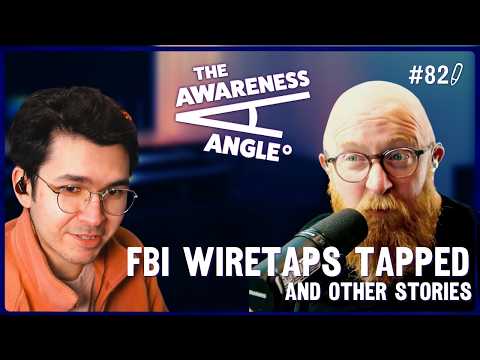
This week on The Awareness Angle, we've got Chinese hackers breaking into the system the FBI uses to watch people. The White House released an app that security researchers took apart and didn't like what they found. LinkedIn has been quietly scanning your browser extensions and linking the results to your profile without telling you. And a Carnegie Mellon professor says app privacy labels are basically the nutrition labels of the internet, which tells you everything you need to know.
We've also got Google Drive getting a proper ransomware safety net, attackers using WhatsApp to deliver malware to Windows PCs, Apple quietly blocking one of the cleverest scams doing the rounds right now, and a campaign calling out the AI-generated slop that's making all of us easier to scam.
Watch or listen to the episode today - YouTube | Spotify | Apple Podcasts
Visit riskycreative.com for past episodes, our blog, and our merch.

Breach of the Week
Chinese Hackers Breach the System the FBI Uses to Watch People
We had plenty to choose from this week as Hasbro got hacked, there are unconfirmed claims about a massive Adobe breach, and a few others bubbling away. But this one was the standout, and honestly it's got Hollywood written all over it.
Suspected China-linked hackers broke into the FBI system that stores surveillance data, likely exposing the phone numbers of people the bureau was actively monitoring. The FBI has officially classed it as a major incident and notified Congress, confirming that access came through a third-party vendor rather than a direct attack on their own systems.
The system at the centre of it manages court-authorised wiretaps. Think of it as the database that tells investigators who they're watching and who those targets are talking to. Whoever got in could potentially work out exactly who the US is surveilling, giving them the chance to tip off assets, cut ties, or stay one step ahead. This isn't just a data breach. It's a breach of the FBI's ability to do its job quietly.
Our Mission Impossible take: this feels less like a money grab and more like an intelligence operation. Who's being watched? Who's safe? Who needs burning? That kind of targeted patience is what separates nation-state attacks from regular cybercrime. There'll be a film about this one day.
The Awareness Angle -
Your data in someone else's hands - When a government system gets hacked, it's not just officials affected. Ordinary people whose names appear in investigations as witnesses, associates or subjects can end up exposed too.
Third party, first problem - Access came through a third-party vendor, not a direct attack. This is the same weak link that trips up organisations of all sizes. Your security is only as strong as the people you trust with access.
This isn't random - State-sponsored hackers don't break in to cause chaos. They go after intelligence. What's known, who's compromised, who's being watched. That level of patience and precision is what makes these attacks so hard to defend against.
This Week's Stories...
The Security Tool We Covered Last Week Just Helped Breach the European Commission
If you caught last week's episode, you'll remember the Trivy supply chain attack, a poisoned security scanner that was backdoored and used to compromise an AI tool called LiteLLM. Well, the story got a lot bigger.
CERT-EU has confirmed the European Commission's cloud infrastructure was breached using that same compromised version of Trivy, with initial access obtained on March 19th through normal software update channels. No one clicked anything dodgy. No one fell for a phishing email. They just updated their software.
The attackers stole an AWS API key, got into the Commission's cloud accounts, and the stolen data, including emails and personal details, was subsequently published on the dark web by ShinyHunters. Up to 71 clients across EU institutions affected, over 300GB of data. And yes, ShinyHunters are the same group behind some of the biggest breaches of the last couple of years. Not surprising they're involved.
Trivy led to LiteLLM, LiteLLM led to further targets, and the security scanner designed to keep systems safe became the weapon used to break in.
Your security tools are part of your attack surface - We said this last week and it just took down the European Commission. The tools you trust to protect you can become the way in if they're not protected themselves.
Software updates are now a threat vector - Nobody did anything wrong here in the traditional sense. They just updated their software. That's exactly what makes supply chain attacks so hard to defend against.
One breach feeds the next - They didn't hit one target and stop. Each compromise was used to reach the next one. Patient, methodical, cascading. By the time anyone notices, the damage is already well beyond where it started.
The White House Just Released an App. Security Researchers Are Not Happy About It.
We're keeping the politics out of this one. If they want to release an app, they're entitled to. But the security angle here is worth knowing about regardless of where you stand on anything else.
The Trump administration launched an official White House mobile app for iOS and Android, promising Americans unparalleled access with live streams, breaking alerts and real-time updates. What they didn't advertise was what the app does in the background.
Security researchers who decompiled it found it sending users' IP addresses, timezone, device model, OS version and a persistent unique identifier to third-party servers on every single launch, despite the app's privacy label being completely blank and claiming it collects nothing. There's also GPS tracking infrastructure baked in that's currently dormant but can be switched on remotely. It's there. It just hasn't been turned on yet.
A Russia-founded third-party software company whose components are baked into the app was also found exposing personal information belonging to some White House staffers. The White House said everything is safe and secure. Security researchers disagreed, loudly. In any other news cycle this would have been a scandal.
The Awareness Angle -
Read the permissions before you download anything - This app asked for access to precise location, biometric fingerprint data and the ability to modify or delete your shared storage. Most people tap allow without looking. Those permissions are worth a few seconds of your time for any app, not just this one.
A privacy label that says nothing can still mean a lot - Apps are supposed to declare what data they collect. This one said nothing. The reality was very different. If an app's privacy disclosure looks too clean, that's not always reassurance. Sometimes it's a red flag.
Official doesn't mean safe - A .gov badge doesn't automatically mean an app has been built securely or held to a higher standard. Apply the same scepticism to government apps as you would any other.
Apple Just Added a Safety Net for One of the Cleverest Scams Around

We've talked about ClickFix on this podcast more times than we can count, and we've said for a while that what it really needs is an OS-level response. Apple just got there first.
A new macOS feature now blocks potentially harmful commands from running when pasted into Terminal and shows a warning explaining that scammers commonly distribute malicious instructions through websites, chat agents, apps and phone calls. If you're on a Mac and you paste something suspicious into Terminal, you now get a pop-up that says "Possible malware, paste blocked" with a Don't Paste button as the main option.
If you're not familiar with ClickFix, it's worth understanding. A fake pop-up tells you there's a problem with your computer. A Fix It button appears. Clicking it copies a command to your clipboard. You paste it into Terminal, hit enter, and you've just installed the malware yourself. ClickFix jumped by more than 500% in the first half of 2025, making it the second most common attack vector after phishing.
The "paste anyway" option is still there, which Luke rightly pointed out maybe it shouldn't be, but it's a long overdue step in the right direction. Hopefully Windows follows.
The Awareness Angle -
The scam works because it uses your own hands against you - ClickFix bypasses most security software because you're the one running the command. The malware never has to sneak past anything. You let it in yourself, thinking you're fixing a problem.
No legitimate website will ever ask you to open Terminal - That is the tell. If a website, pop-up, support chat or phone caller tells you to open Terminal or Command Prompt and paste something in, stop. That is the scam, every single time.
Apple's warning helps but don't rely on it alone - It's not yet clear exactly which commands trigger it, so it won't catch everything. The best protection is knowing what ClickFix looks like before you ever see it, which is exactly why we keep talking about it.
App Privacy Labels Are Like Food Nutrition Labels - And We All Know How That's Going
This one came up this week because of the White House app, and it's a comparison that really stuck with us.
Lorrie Cranor, director of Carnegie Mellon University's CyLab Security and Privacy Institute, says app privacy labels, the data disclosures you see on the App Store and Google Play, are basically the nutrition labels on a packet of crisps. In theory they help you make an informed choice. In practice, she says the current versions are not at all useful and, worse, they create the impression that something meaningful is being done for your privacy when it actually isn't.
Studies have found widespread inaccuracies in the labels. Apple and Google don't even use the same definitions for what counts as data collection. Google defines it as any data transmitted from your device. Apple only counts it if that data is also stored. The same app can look completely different depending on which store you're looking at.
We saw a live example of this exact week. The White House app declared it collected nothing, while quietly sending device data to multiple third parties on every single launch.
The Awareness Angle -
Labels are only useful if they're accurate - The privacy label on an app is the closest thing you have to informed consent before downloading. Most people never check it, and research shows many labels don't reflect what apps actually do anyway.
Compliance isn't the same as protection - Companies post these labels for information purposes. A label existing doesn't mean your data is safe. There was a time when everyone said smoking was good for you. Look how that turned out.
Even the experts say read the privacy policy - If you genuinely want to know what an app does with your data, the full privacy policy is still your best bet. Nobody said it was fun, but it's the honest answer.
Phish of the Week
Thanks as always to the threat intelligence team at Hoxhunt for sharing this week's example.

This one's a salary increase notification, and it's more sophisticated than it first looks.
The email lands with your company logo, your name, and a message saying a new policy has been added: a salary increase, effective a specific recent date. To access the updated documentation, scan the QR code below. At the bottom, there's a yellow confidentiality banner telling you not to share the link or access code with anyone else. That detail is doing a lot of work. It's nudging you to keep quiet and not check with a colleague.
Here's the bit that caught us off guard when we scrolled further down on the episode: it's not just a credential capture page. Scanning the QR code takes you to a fake DocuSign page where you're given a signing code. Clicking continue takes you to a legitimate Microsoft website and a real device authentication window. The attack isn't stealing your password. It's getting you to authorise access to your device entirely. That's device code phishing.
And there's a red flag right at the start that most people will miss. The phishing email itself is completely empty. The actual attack arrives as a .eml file attached to a blank email. That's not normal. If you see an empty email with an email file attached, don't open it.
Hoxhunt flagged the fake salary lure as the primary hook, playing into exactly the kind of emotion that makes people act before they think, and the QR code as a deliberate choice to move you off your work device and onto your phone, away from whatever security controls your organisation has in place.
This Week's Discussion Points...
Chinese hackers breach the FBI's wiretap surveillance system Watch | Read
Trivy supply chain attack leads to European Commission data breach Watch | Read
The White House app: what security researchers actually found Watch | Read
Apple adds macOS Terminal warning to block ClickFix paste attacks Watch | Read
App privacy labels are not as useful as you think Watch | Read
Google Drive ransomware detection and file restoration now generally available Watch | Read
LinkedIn secretly scanning 6,000+ Chrome extensions and collecting data Watch | Read
WhatsApp used to deliver malware to Windows PCs Watch | Read
Phish of the Week: QR code salary increase leading to device code phishing Watch
SMS delivery scam in the wild Watch
Sloppypasta: AI-generated content and why it makes you easier to scam Watch | Read
Artemis II has two broken instances of Outlook and NASA had to remote in Watch | Bluesky
Artemis II is running Microsoft 365 in space Watch | Read
Artemis II astronaut enters PIN code on live stream Watch | Watch on TikTok
Apple Passwords app ad Watch | Watch on TikTok
Supply chain attack explainer video Watch | Watch on TikTok
And Finally...
Artemis II is orbiting the moon. The astronauts are running Windows. They have two instances of Outlook installed and neither of them work. NASA had to remote in to sort it out. Anthony's take: we've sent people round the moon and we're relying on Outlook for email up there. Luke's take: why do they even need Outlook? There's live chat for that. Both valid. Watch | Bluesky
Which led to the obvious question. Can you imagine being phished while orbiting? A QR code salary increase lands in your inbox, you scan it on your phone, and suddenly someone's got remote access to a Windows tablet in space. We have a Phish of the Week for exactly that scenario this week. Coincidence. Probably. Watch
One of the astronauts also entered their PIN code on live stream, just before launch, in full view of the cameras. It's out there now. Luke pointed out it's probably just policy baked into the device build. Anthony pointed out they could have been given an exception. Watch | Watch on TikTok
Luke also shared Apple's latest ad promoting the built-in Passwords app — good awareness content, and a reminder that if your organisation runs Apple devices without MDM, staff may now be storing corporate passwords somewhere you can't see. Watch | Watch on TikTok
And finally, a really nicely produced TikTok on supply chain attacks by Lewis Menloe. Worth sharing with your team, and worth watching if you make awareness content yourself — great example of what you can do with an iPhone and one decent light. Watch | Watch on TikTok
Thanks for reading! If you’ve spotted something interesting in the world of cyber this week, a breach, a tool, or just something a bit weird, let us know at hello@riskycreative.com. We’re always learning, and your input helps shape future episodes.
Ant Davis and Luke Pettigrew write this newsletter and podcast.
The Awareness Angle Podcast and Newsletter is a Risky Creative production.
All views and opinions are our own and do not reflect those of our employers.