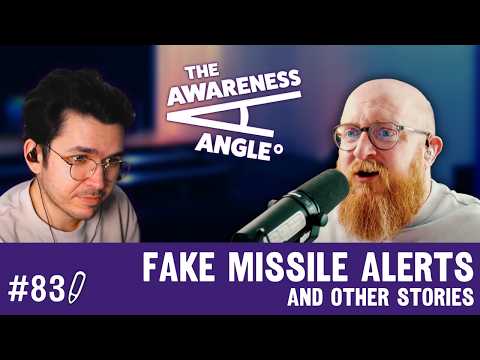
This week we've got three things that are immediately useful whether you work in security or not. We discussed a phishing campaign using fake missile alerts and real geopolitical fear to steal Microsoft credentials. There is a story about what happens when a meeting recording gets sent to the wrong person after someone drops off a call, and a genuinely handy tip about generating QR codes without handing your data to a random website. It was sitting on your computer, the whole time!
After that we've got the Breach of the Week, the Phish of the Week from the team at Hoxhunt, and everything else from this week's episode.
Watch or listen to the episode today - YouTube | Spotify | Apple Podcasts
Visit riskycreative.com for past episodes, our blog, and our merch.
Minimize imageEdit imageDelete image

This week's stories...
Missile Alert Phishing Exploits Iran-US-Israel Conflict for Microsoft Logins
A phishing campaign is exploiting genuine geopolitical tensions between Iran, Israel, and the US. The emails impersonate government civil defence warnings, with urgent subject lines, an official-looking layout, and language designed to stop you thinking and start you acting. The ask is to scan a QR code for shelter guidance and evacuation instructions.
The QR code takes you off your device to your phone, away from your email security controls, and onto a fake Microsoft login page.
There's a line in the email worth noting: "scan for instructions, access official emergency procedures, shelter guidance and evacuation instructions." Ask yourself why emergency procedures would require you to sign into Microsoft. In a genuine emergency, you wouldn't stop to ask that. That's the whole point.
The Awareness Angles -
Fear is the most effective bypass - Attackers weaponise breaking news and genuine anxiety to trigger fast, uncritical action. When people feel threatened, they don't pause to verify URLs.
QR codes move the attack off your protected device - On your phone, the URL is harder to see, security tooling may not be in play, and the Microsoft login screen might look slightly different to what you're used to. All of that helps the attacker.
If something urgent wants you to sign in somewhere unfamiliar, stop - Emergency guidance doesn't live behind a Microsoft login. That mismatch is the tell.
Your Meeting Recording Might Be Sending More Than You Think
A post on Reddit's recruitinghell caught a lot of attention this week. A candidate's wife shared that after a virtual interview, her husband was accidentally sent a full transcript and audio recording of the entire call, including the interviewers discussing him after he disconnected. Remarks about his appearance, their salary negotiation tactics, and comments you'd never want the candidate to hear.
It probably happens all the time. Someone drops off a call, the remaining people carry on talking, and the transcript goes out automatically to all participants when the meeting ends.
The security message here is simple but easy to overlook: if you need to debrief after a meeting, start a new one. Don't assume the recording has stopped just because someone has left.
The Awareness Angles -
Auto-transcription catches everything - Meeting tools like Teams, Zoom, and Meet don't stop recording when a participant leaves. If transcription is on, it captures whatever is said until the host ends the meeting.
Transcripts go to all participants by default - The person you were just talking about may receive a full written record of what you said. This isn't a theoretical risk, it happened here.
Start a new meeting to debrief - It takes ten seconds and removes the risk entirely. Worth making it a habit, and worth sharing with your teams.
You Can Make QR Codes Directly in Microsoft Word
A short video shared this week pointed out something most people don't know: you can generate a QR code directly inside Microsoft Word, no third-party tool required.
This matters for anyone in security awareness who makes posters, internal communications, or training materials. Most people Google "QR code generator" and land on a random website, hand over their URL, and don't think twice about what that site is doing with it. Using a built-in tool removes that risk entirely.
It's not the most intuitive feature to find, but the video walks through it clearly. Worth knowing, and worth passing on to the teams in your organisation who regularly make printed or digital materials.
The Awareness Angles -
Check what your existing tools can already do - Before anyone in your organisation uses a third-party website or app for something, it's worth asking whether Microsoft 365, Google Workspace, or whatever your standard toolset is can already do it natively. QR codes in Word is one example. There are probably others sitting unused. Finding them and communicating them reduces shadow IT risk without asking people to change their behaviour dramatically.
Communicate it - If your organisation has approved tools that do things people don't know about, that's a quick win for a security awareness message. A short post, a tip in a newsletter, a slide in an induction deck. "You don't need to Google a QR code generator, here's how to do it in Word" is the kind of practical, immediately useful message that lands well.
Third-party tools are a risk even for small things - Free online tools ask for data, store URLs, and may share information with parties you've never heard of. Helping people understand that even small conveniences carry risk is a useful habit to build.
Phish of the Week
Thanks as always to the threat intelligence team at Hoxhunt .
Minimize imageEdit imageDelete image

WhatsApp / Meta Impersonation: Credential and MFA Code Theft
This one's well put together. It arrives as an official-looking email carrying the WhatsApp and Meta branding, addressed to someone who runs a Meta Business Messaging partner account.
The message says their business hasn't met requirements to maintain select tier status in the Meta Business Messaging Partners Program and they have until a specific date to fix it. There is a deadline included and links everywhere, four of them, all going to the same place.
What makes it notable is the landing page. It's not just a fake login that steals your password. It asks you to verify your identity, capturing your MFA code in real time. The likely setup: a ghost system is logging in on your behalf in the background and passing your verification code straight through. So even with MFA turned on, this attack works.
The Awareness Angles -
Targeted phishing feels relevant because it is - This works on people who actually have Meta partner portal accounts. If you received it and didn't have one, you'd ignore it. The targeting is what makes it dangerous.
MFA capture is real - Getting your MFA code intercepted in real time is not theoretical. This attack is designed specifically to do that. MFA is still worth having, but it doesn't make you untouchable.
Go to source, not the link - If you get something like this, don't click. Go to Google, search for the platform directly, and navigate from there. Better still, have it bookmarked.
Bookmarks are an underrated and almost entirely forgotten piece of security advice. If there's a site you log into regularly, whether that's your bank, your HR system, your email, or a partner portal, bookmark it. Then when something arrives in your inbox claiming to be from that service, you don't need to click anything. You just open the bookmark. It sounds too simple, but it removes one of the most common ways people end up on fake login pages. Worth pushing out as an awareness message. It's practical, it costs nothing, and most people have never thought about it.
This Week's Discussion Points...
Everything we talked about in this week's episode:
-
Hackers steal and leak 7.7TB of sensitive LAPD police documents via third-party storage Watch | Read
-
Wynn Resorts confirms 21,000 employees affected by ShinyHunters breach, ransom likely paid Watch | Read
-
Dutch healthcare software vendor ChipSoft hit by ransomware, disrupting hospital systems across the Netherlands Watch | Read
-
Jones Day law firm confirms breach after Silent Ransom Group (Luna Moth) leaks client files and demands $13M Watch | Read
-
Anthropic's Project Glasswing powered by Claude Mythos autonomously finds and exploits thousands of zero-days Watch | Read
-
GrafanaGhost vulnerability allows data theft via AI prompt injection, Grafana disputes severity Watch | Read
-
Missile alert phishing campaign exploits Iran-US-Israel tensions to steal Microsoft credentials via QR code Watch | Read
-
BlueHammer: disgruntled researcher leaks unpatched Windows privilege escalation zero-day on GitHub Watch | Read
-
White House proposes $707M cut to CISA, a third of staff already left in Trump's second term Watch | Read
-
Phish of the Week: WhatsApp/Meta impersonation capturing credentials and MFA codes in real time Watch
-
North Korean hacker exposed during a job interview Watch | Read
-
Interview transcript accidentally sent to applicant including post-call discussion Watch
-
TikTok Lite installed automatically after a phone update Watch | Read
Find Us
Podcast: Spotify | Apple Podcasts
YouTube: https://www.youtube.com/@riskycreative
TikTok: https://www.tiktok.com/@infosecant
Instagram: https://www.instagram.com/riskycreative
Thanks for reading! If you’ve spotted something interesting in the world of cyber this week, a breach, a tool, or just something a bit weird, let us know at hello@riskycreative.com. We’re always learning, and your input helps shape future episodes.
Ant Davis and Luke Pettigrew write this newsletter and podcast.
The Awareness Angle Podcast and Newsletter is a Risky Creative production.
All views and opinions are our own and do not reflect those of our employers.